Youre done working the color settings dialog box
186 Establishing Your Settings
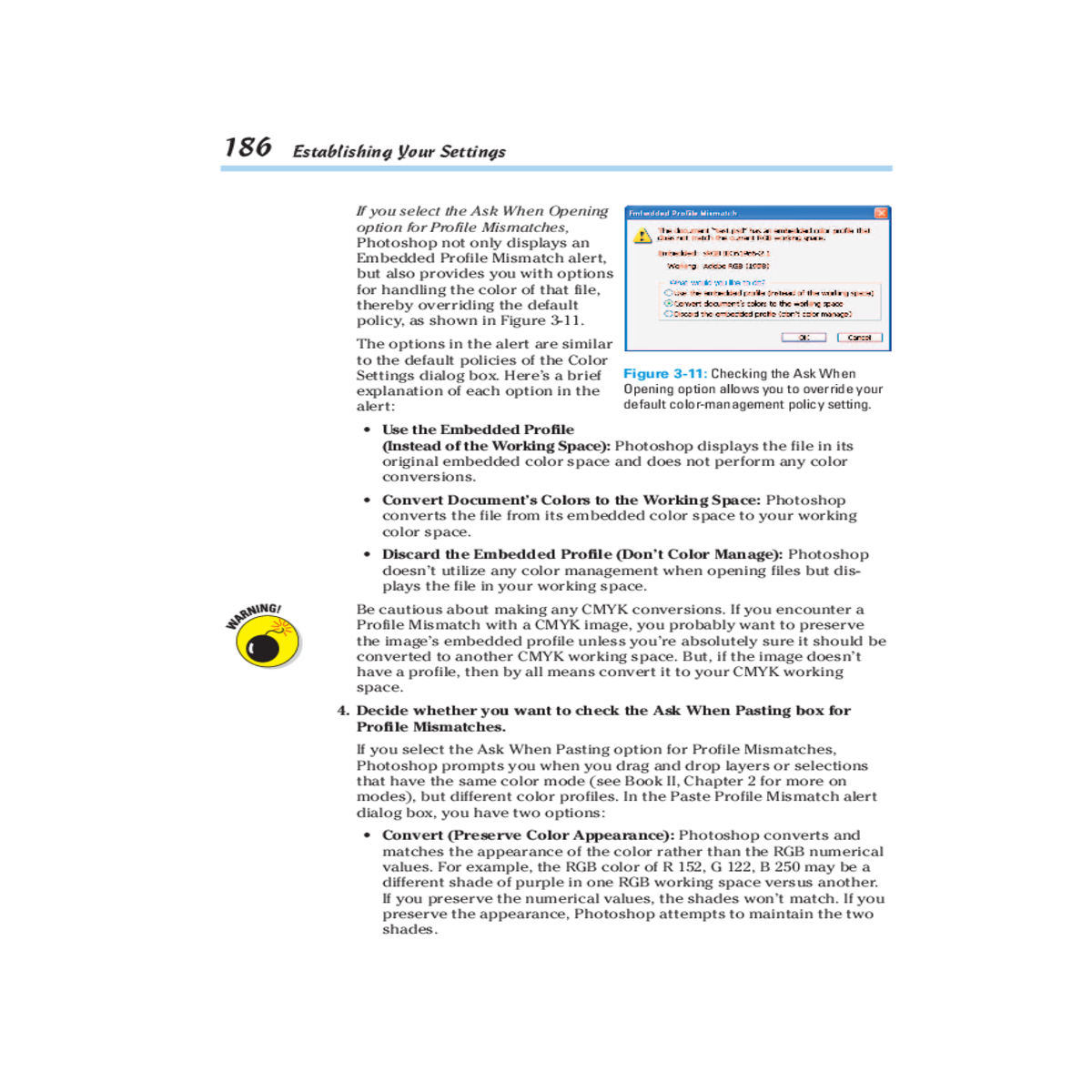
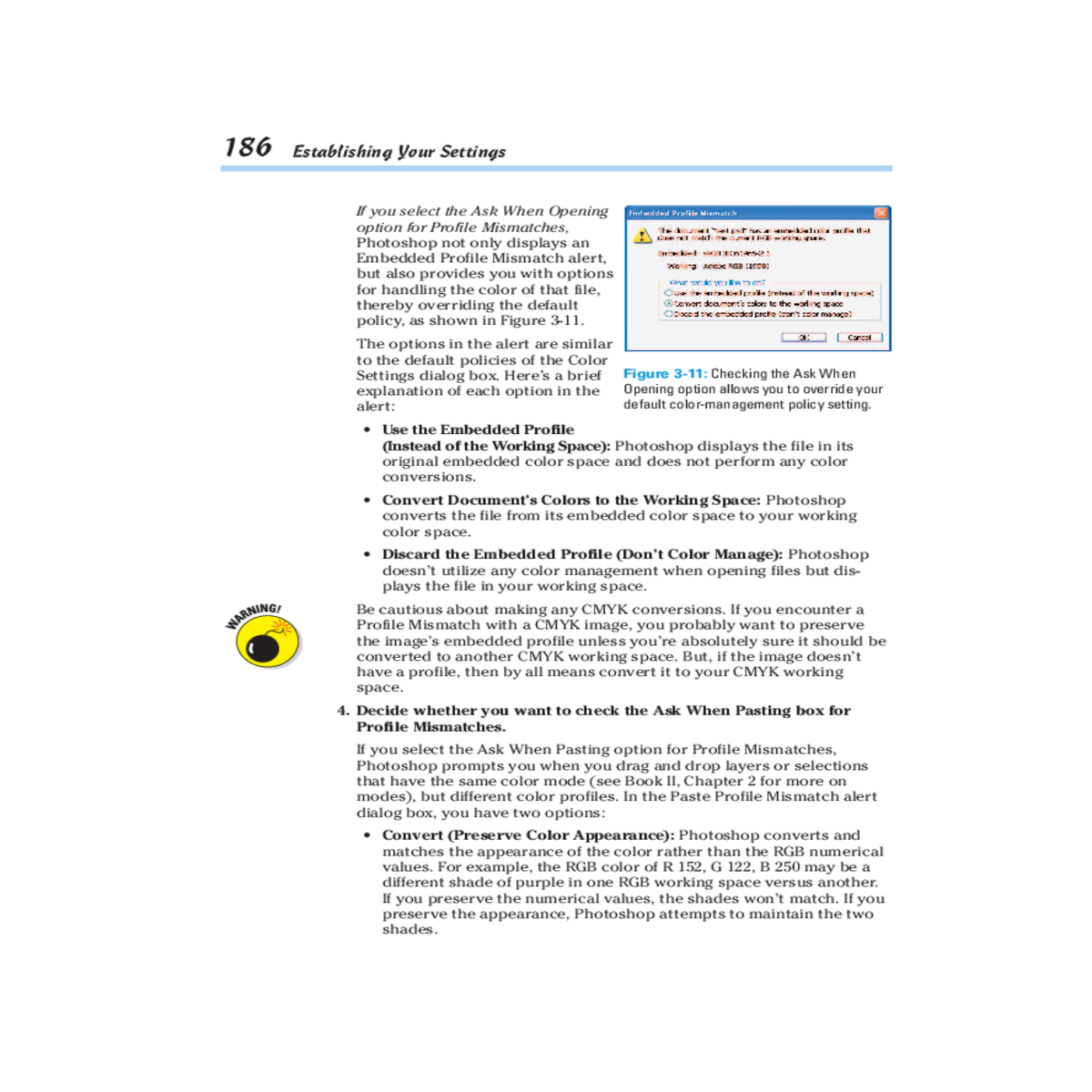
• Use the Embedded Profile
(Instead of the Working Space): Photoshop displays the file in its original embedded color space and does not perform any color conversions.• Convert Document’s Colors to the Working Space: Photoshop converts the file from its embedded color space to your working color space.
If you select the Ask When Pasting option for Profile Mismatches, Photoshop prompts you when you drag and drop layers or selections that have the same color mode (see Book II, Chapter 2 for more on modes), but different color profiles. In the Paste Profile Mismatch alert dialog box, you have two options:
• Convert (Preserve Color Appearance): Photoshop converts and matches the appearance of the color rather than the RGB numerical values. For example, the RGB color of R 152, G 122, B 250 may be a different shade of purple in one RGB working space versus another. If you preserve the numerical values, the shades won’t match. If you preserve the appearance, Photoshop attempts to maintain the two shades.
|
||
|---|---|---|
| Book II Chapter 3 |
||
|
||
| • Leave As Is (Don’t Color |
|
|
| Manage): This leaves the | ||
|
|
|---|