

Typing day formula would reference cell day
|
||
|---|---|---|
|
1 | |
|
|---|
| 1 | 7 |
|
||
|---|---|---|---|---|
|
||||
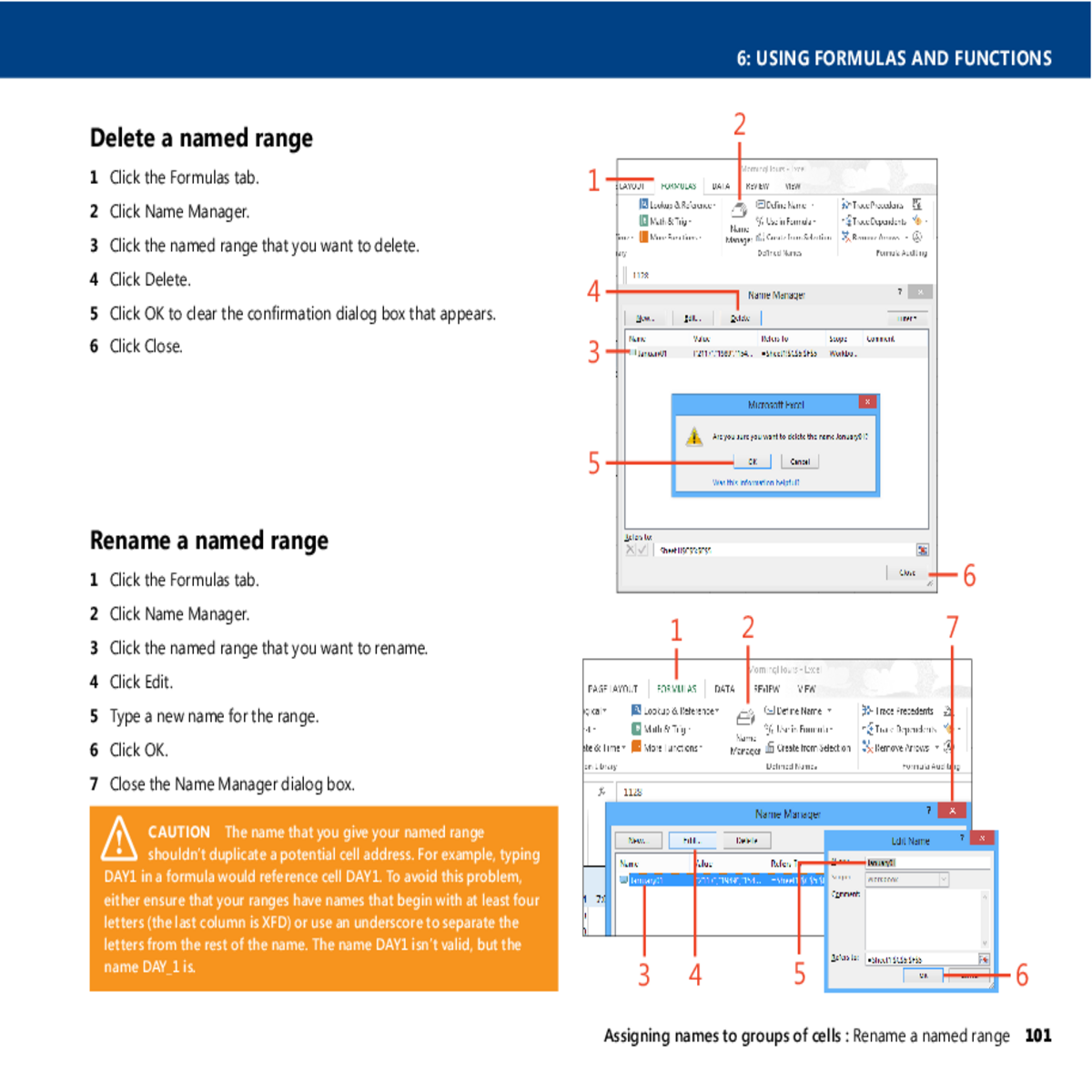
6 Click OK.
7 Close the Name Manager dialog box.
| letters from the rest of the name. The name DAY1 isn’t valid, but the | 3 | 5 | 6 | |
|---|---|---|---|---|
|
|---|
Using names in formulas
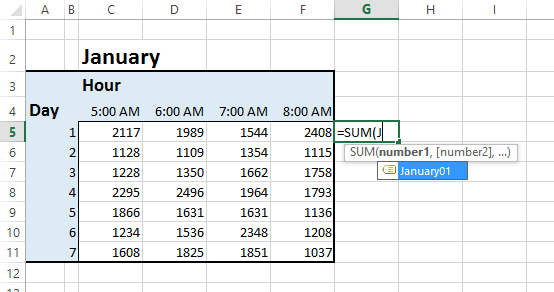
2 Type = followed by the formula that you want. When you want to
use a range that has a name, start typing the name instead of the
TIP If you change the name of a range of cells, Excel automati-
cally makes the name change in every one of your formulas.

3 |
||||||||||
|---|---|---|---|---|---|---|---|---|---|---|





