
The use temporary table process the correct approach
Chapter 10 ■ Database tables
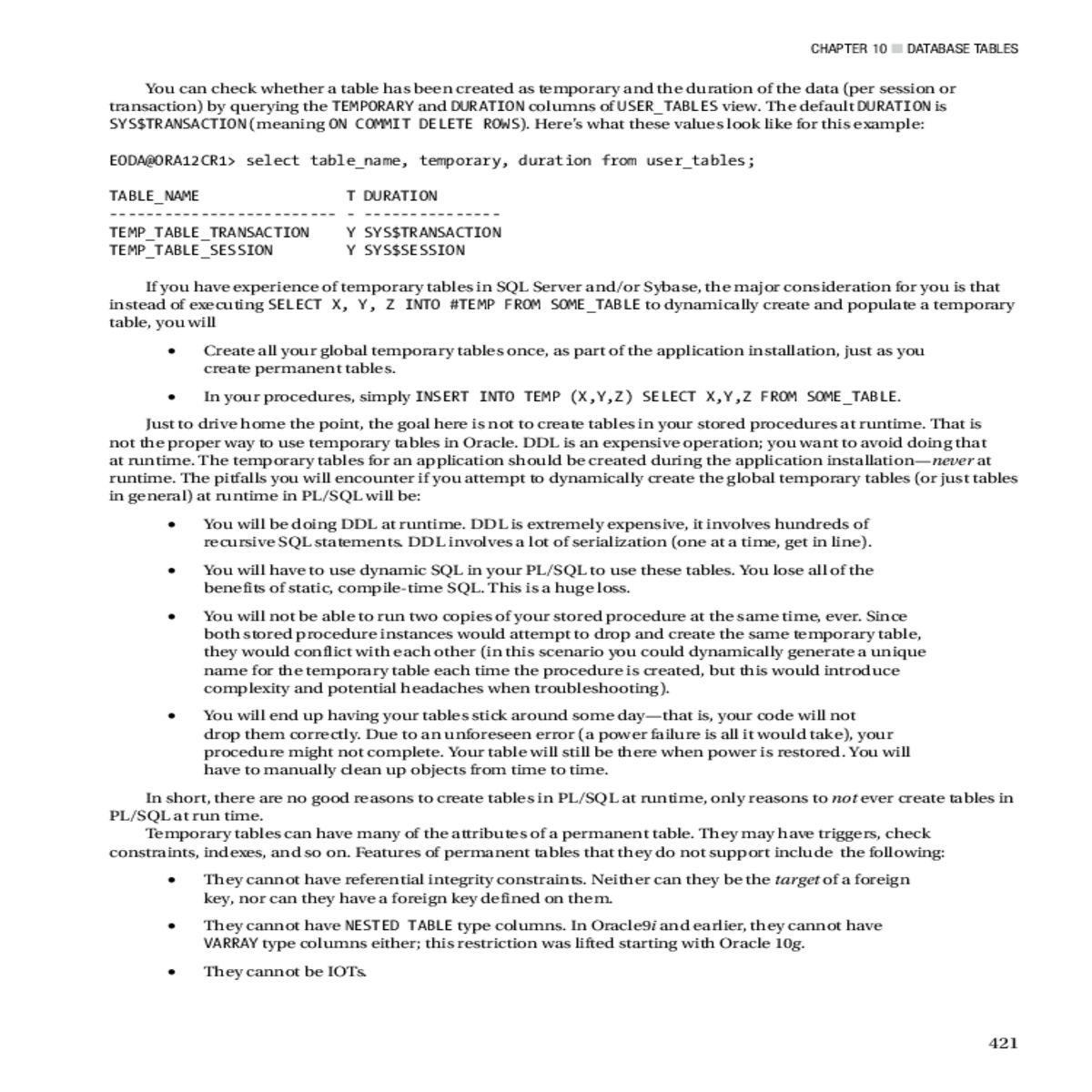
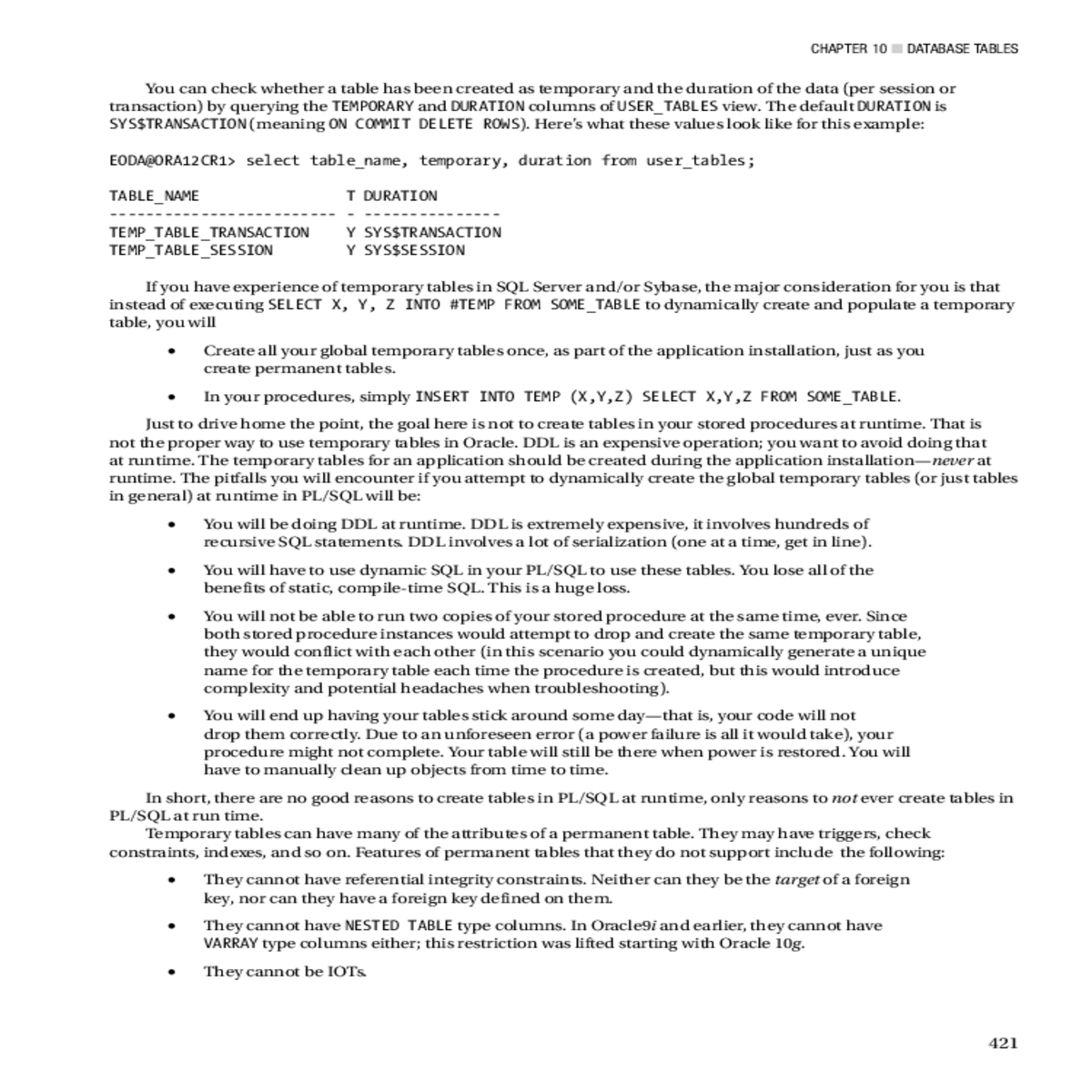
You can check whether a table has been created as temporary and the duration of the data (per session or transaction) by querying the TEMPORARY and DURATION columns of USER_TABLES view. The default DURATION is SYS$TRANSACTION (meaning ON COMMIT DELETE ROWS). Here’s what these values look like for this example:
•� In your procedures, simply INSERT INTO TEMP (X,Y,Z) SELECT X,Y,Z FROM SOME_TABLE.
Just to drive home the point, the goal here is not to create tables in your stored procedures at runtime. That is not the proper way to use temporary tables in Oracle. DDL is an expensive operation; you want to avoid doing that at runtime. The temporary tables for an application should be created during the application installation—never at runtime. The pitfalls you will encounter if you attempt to dynamically create the global temporary tables (or just tables in general) at runtime in PL/SQL will be:
In short, there are no good reasons to create tables in PL/SQL at runtime, only reasons to not ever create tables in PL/SQL at run time.
Temporary tables can have many of the attributes of a permanent table. They may have triggers, check constraints, indexes, and so on. Features of permanent tables that they do not support include the following:
Chapter 10 ■ Database tables
•� They cannot be in a cluster of any type.
In other cases, however, the use of a temporary table in a process is the correct approach. For example, I once wrote a Palm sync application to synchronize the date book on a Palm Pilot with calendar information stored in Oracle. The Palm gives me a list of all records that have been modified since the last hot synchronization. I must take these records and compare them against the live data in the database, update the database records, and then generate a list of changes to be applied to the Palm. This is a perfect example of when a temporary table is very useful. I used a temporary table to store the changes from the Palm in the database. I then ran a stored procedure that bumps the Palm-generated changes against the live (and very large) permanent tables to discover what changes need to be made to the Oracle data, and then to find the changes that need to come from Oracle back down to the Palm. I have to make a couple of passes on this data. First, I find all records that were modified only on the Palm and make the corresponding changes in Oracle. I next find all records that were modified on both the Palm and my database since the last synchronization and rectify them. Then I find all records that were modified only on the database and place their changes into the temporary table. Lastly, the Palm sync application pulls the changes from the temporary table and applies them to the Palm device itself. Upon disconnection, the temporary data goes away.
The issue I encountered, however, is that because the permanent tables were analyzed, the CBO was being used.
Statistics Prior to 12c
There are three ways to give the optimizer statistics on the global temporary tables. One is via dynamic sampling (starting with in Oracle9i Release 2 and above) and the other is the DBMS_STATS package, which has two ways to accomplish this. First, let’s look at dynamic sampling.





