
Tell opengl use texture unit color values for arg gltexenvi
| 370 |
|
|
|---|---|---|
|
|
|---|---|
|
|
|
|
|---|---|---|
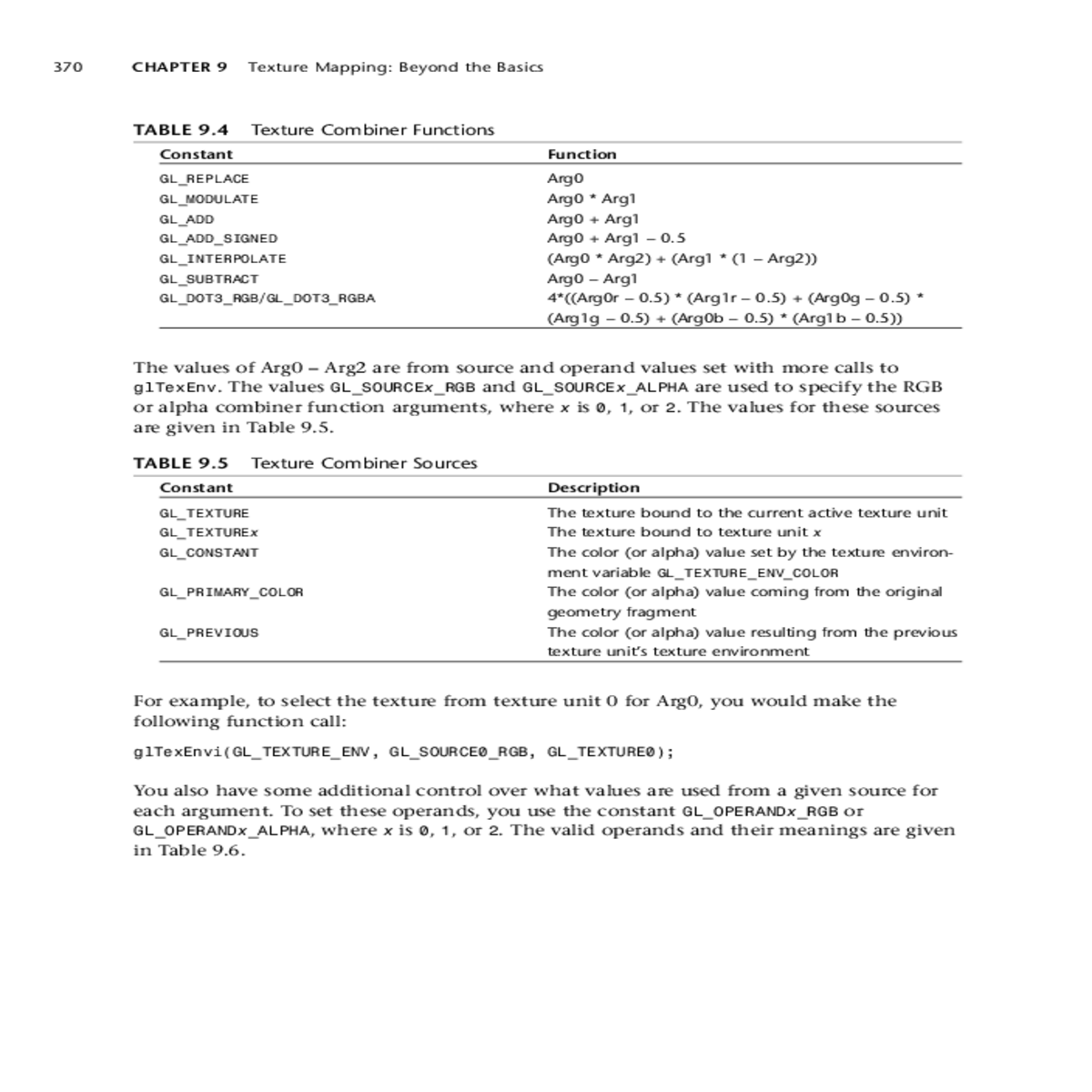
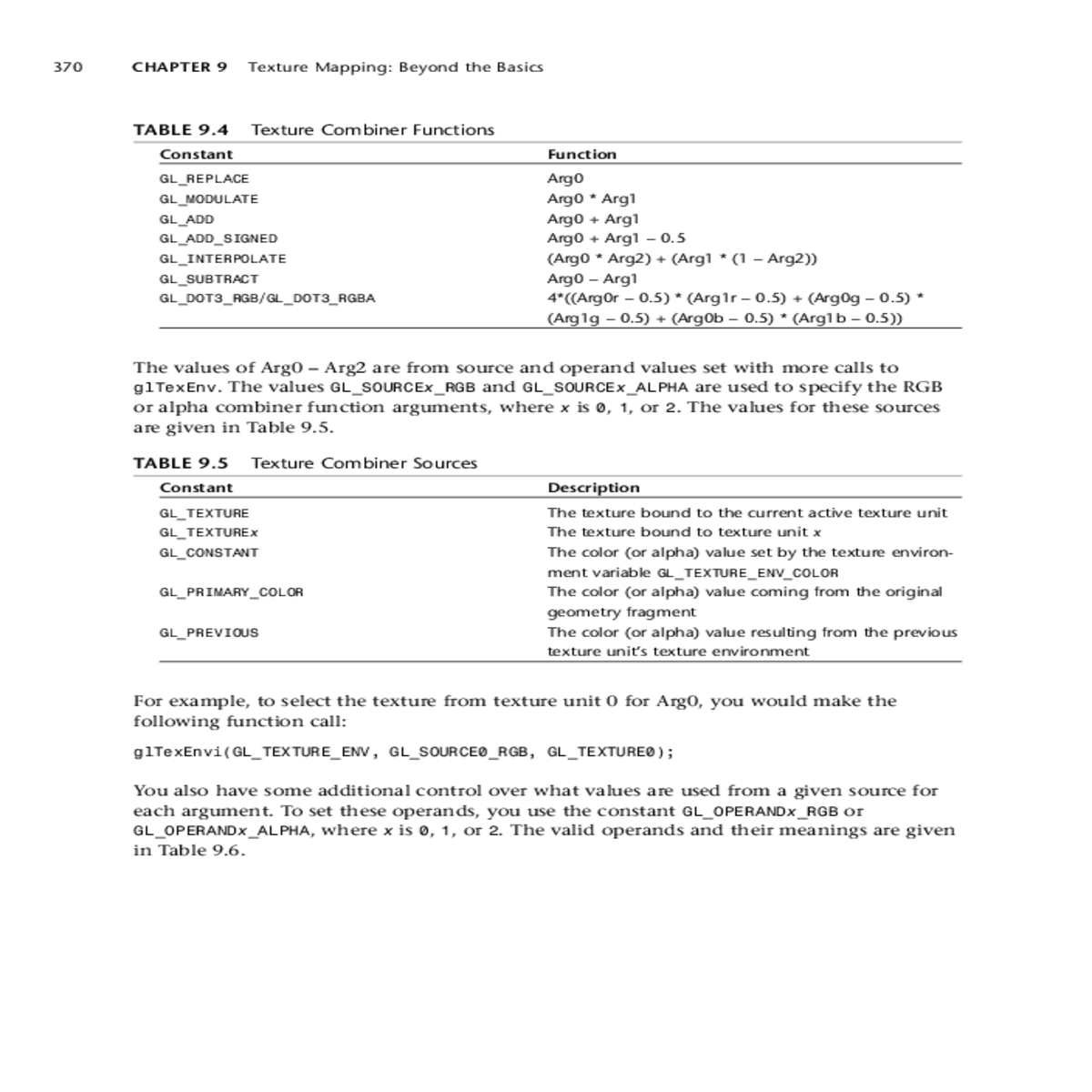
ment variable GL_TEXTURE_ENV_COLOR
GL_PRIMARY_COLOR
glTexEnvi(GL_TEXTURE_ENV, GL_SOURCE0_RGB, GL_TEXTURE0);
You also have some additional control over what values are used from a given source for each argument. To set these operands, you use the constant GL_OPERANDx_RGB or
GL_OPERANDx_ALPHA, where x is 0, 1, or 2. The valid operands and their meanings are given in Table 9.6.
| Point Sprites | 371 |
|---|
| Constant | |
|---|---|
| GL_SRC_COLOR |
|
GL_OPERANDx_ALPHA.
|
|---|
For example, if you have two textures loaded on the first two texture units, and you want to multiply the color values from both textures during the texture application, you would set it up as shown here:
// Tell OpenGL to use texture unit 0’s color values for Arg0
glTexEnvi(GL_TEXTURE_ENV, GL_SOURCE0_RGB, GL_TEXTURE0);
Finally, with texture combiners, you can also specify a constant RGB or alpha scaling factor. The default parameters for these are as shown here:
glTexEnvf(GL_TEXTURE_ENV, GL_RGB_SCALE, 1.0f);





