
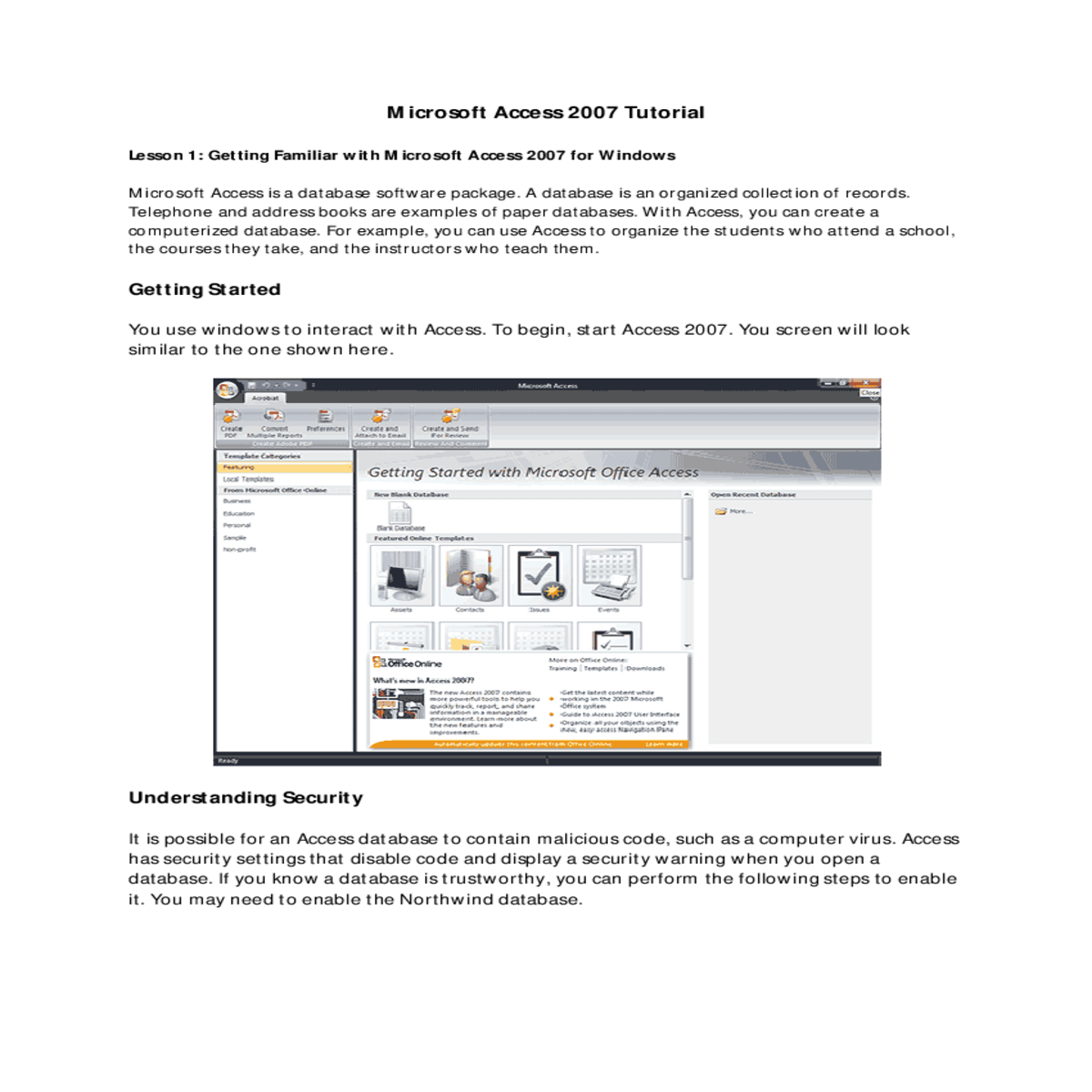
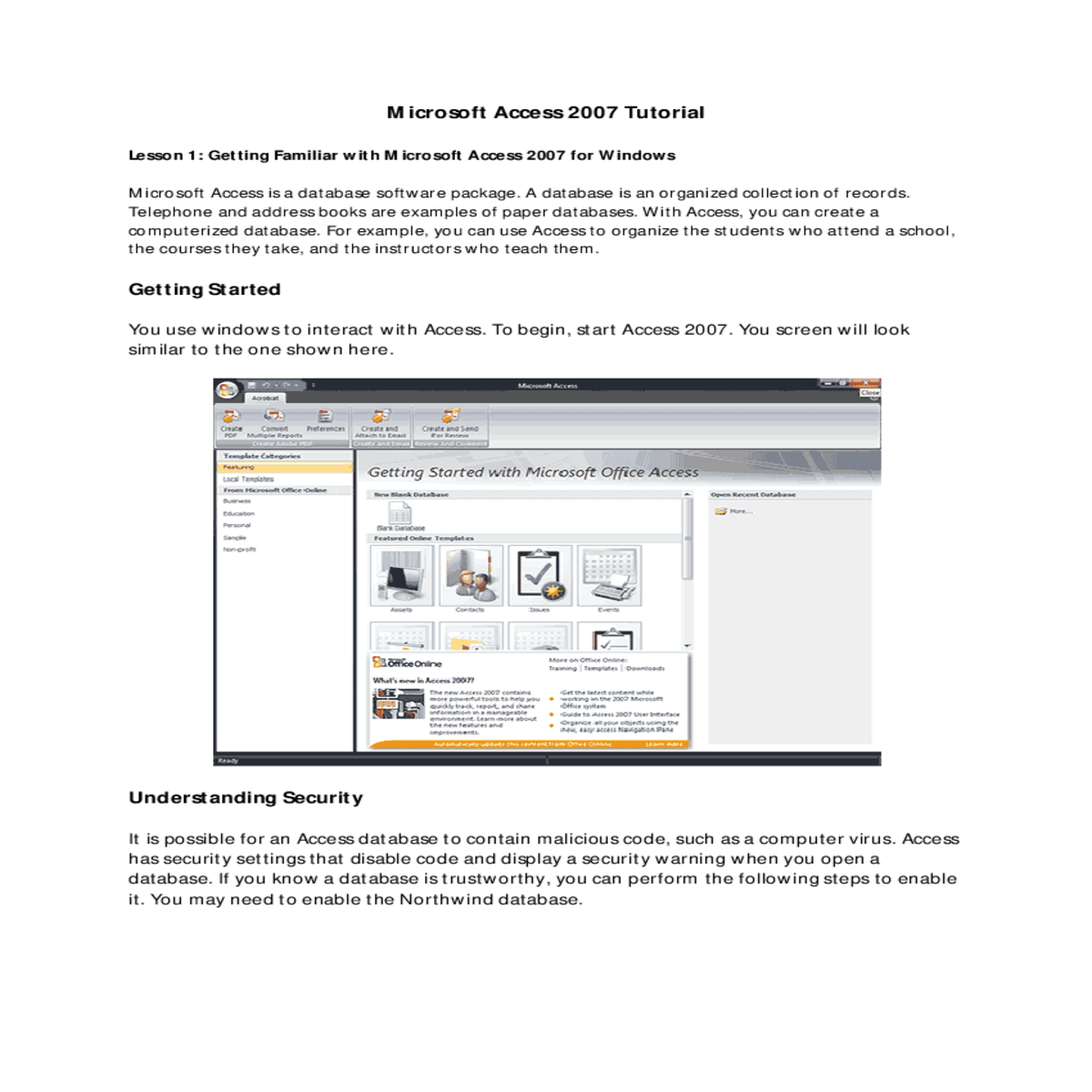
And set field properties tablesa table set columns and rows
Microsoft Access 2007 Tutorial
Lesson 1: Getting Familiar with Microsoft Access 2007 for Windows
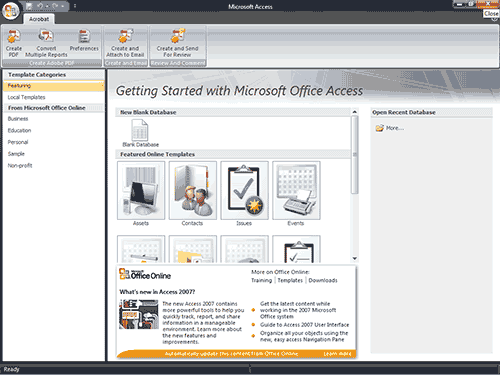
Understanding Security
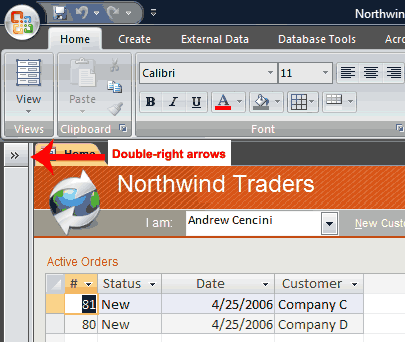
The Title Bar
|
|
|||
|---|---|---|---|
Access Objects
To view or hide the objects on the Navigation pane:
|
|||||||||
|---|---|---|---|---|---|---|---|---|---|
| table, | query, | form, | report, | macro, and | |||||
|
|||||||||
|
|
|---|---|
|
|
|
|
|
|
|---|
Lesson 2: Creating Microsoft Access Tables
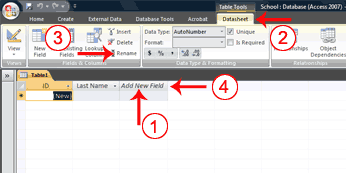
Tables are the foundation of an Access database. Access stores data in tables. This lesson teaches you how to create a table, add fields to a table, assign data types to fields, and set field properties.
To add fields to a table:
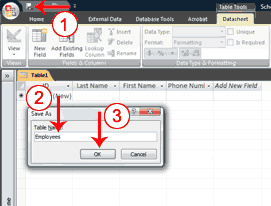
To name and save a table:
| Data Types | ||
|---|---|---|
|
|
|
|
||
|
If you are working with currency, use the currency type. | |
|
Prevents rounding during calculation. | |
|
||
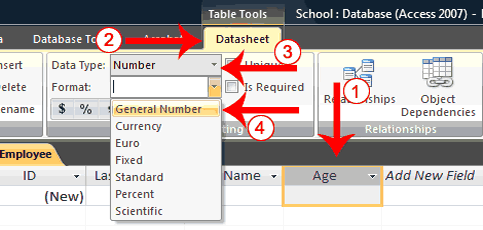
To use Design view to create a new table:

To set field properties:
|
|
|
|
|
|
|
|
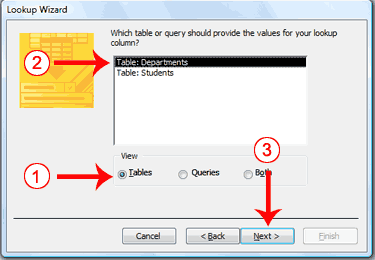
Access has a wizard to help you create lookup columns. Creating a Lookup column creates a relationship between two tables. See the section Create Relationships in Lesson 3 to learn more about relationships.
5. Make sure the radio button next to “I want the lookup column to look up the values in a table or query.” is selected.
6. Click Next. The Lookup Wizard moves to the next page.
A lookup column can be based on a table, a query, or a list of values you type. If you base your lookup column on a table or query, you must create the table or query before creating the lookup column. A query is a list of rows and columns based on one or more tables. A query only displays the rows and columns you specify.
Select fields
You choose the fields you want to appear in your lookup column. Be sure to include the primary key.
|
|---|
|
|
|---|
1. Type the name you want to give the column.
2. Click if you want to allow multiple values in the field. 3. Click Finish. Access creates the lookup column.
6. Type the values you want under the column heading.
7. Click Next. The Lookup Wizard moves to the next page.
Enter Records
After you have created a table, you can enter data into it.
To enter data into an AutoNumber field:
| |
|---|
To enter data into a Yes/No field:
To delete columns:

Insert Columns
The Insert option inserts a column before the selected column.
Access data is stored in multiple tables. Relationships join tables together so you can work with the data from multiple tables. This lesson also teaches you how to create relationships.
Sort a Table





