
The keyword variable holds the value your primary shell prompt
| [IFT 250] |
|
|---|
LAB Activity – Customizing your Environment
The HOME, HOSTNAME, PATH, MAIL, PWD, USER, and PS1 keyword variables
The echo utility.
the command line.
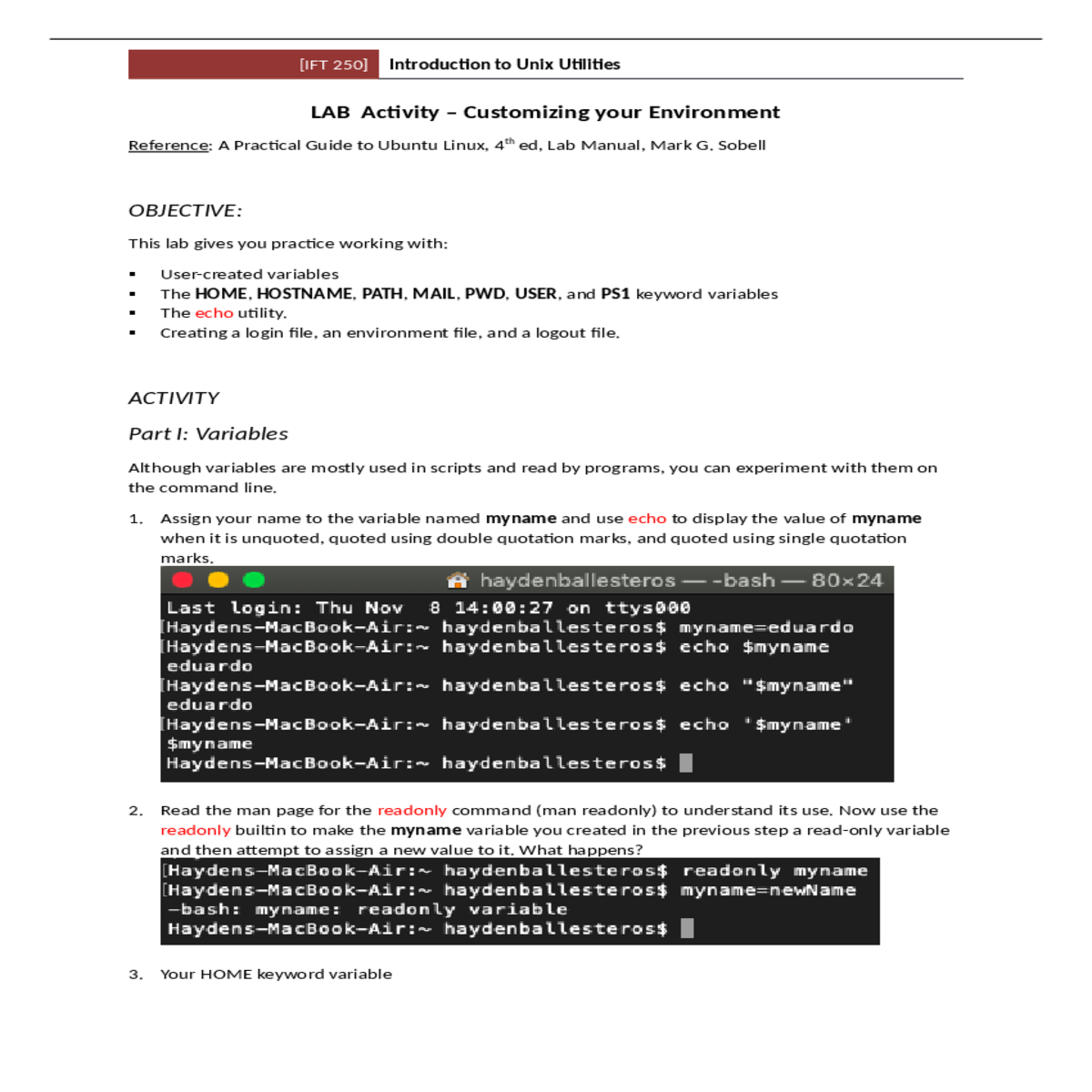
1. Assign your name to the variable named myname and use echo to display the value of myname
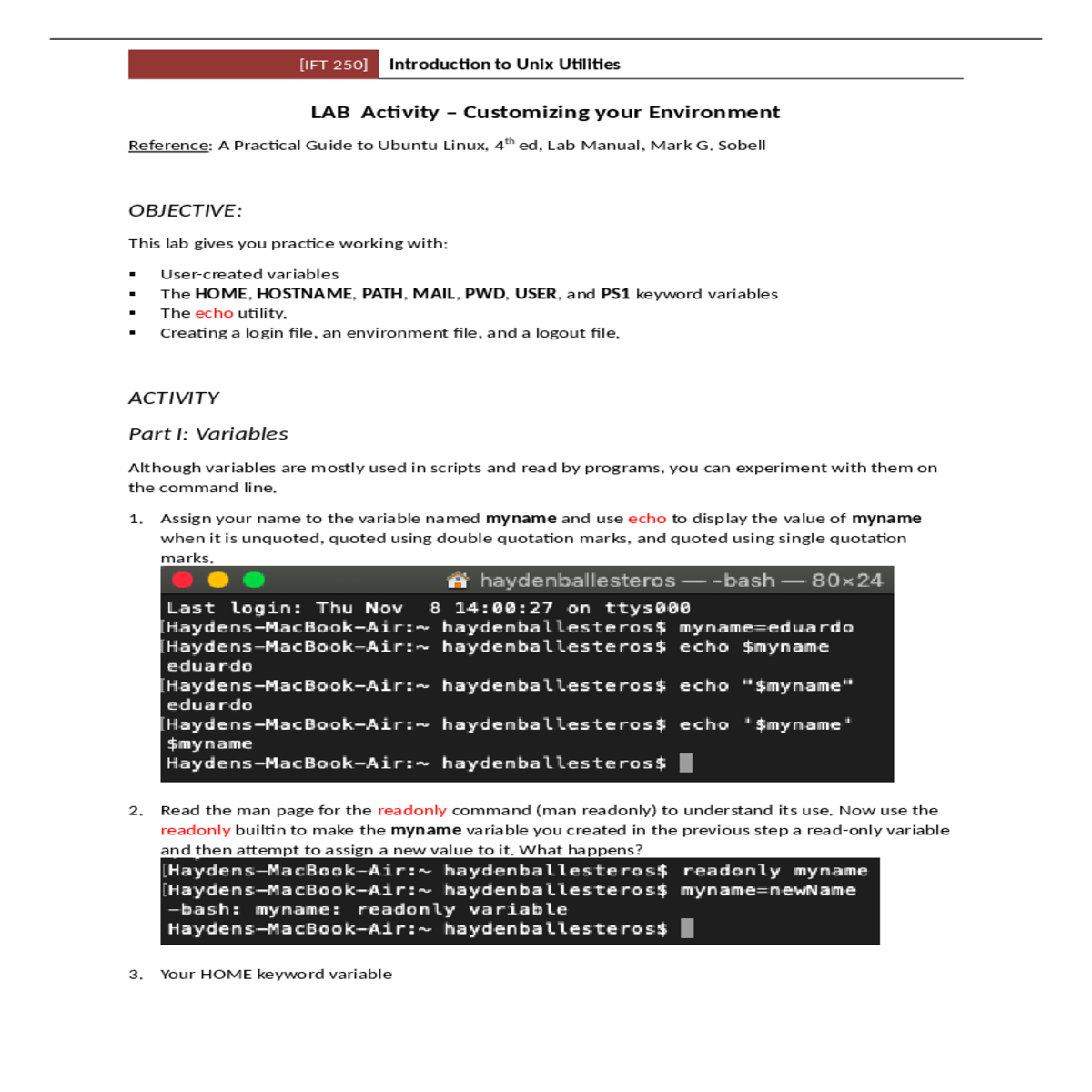
readonly builtin to make the myname variable you created in the previous step a read-only variable
and then attempt to assign a new value to it. What happens?
It holds the home path value.
-bash: /Users/haydenballesteros
| b. | ||
|---|---|---|
| c. | ||
The PATH keyword variable specifies the directories in the order bash should search them when you |
||
run a script or program from the command line.
(Hint: You can use a variable while defining a variable.)
$ PATH=$PATH:/home/haydenballesteros/myprogs
$ echo $PATH
/usr/local/bin:/bin:/usr/bin:/sbin:/home/haydenballesteros/myprogrs
Adding the ~/myprogrs directory to PATH allows you to run scripts in that directory
$PS1='$ '
|
|---|
in the directory (e.g., lt Unit6 would display a long, recursive listing of the Unit6 directory hierarchy).
alias lt='ls -R'
eaballe1@general2:~$ ltAll lines starting with # are comments in a shell script. When creating initialization files, use # to explain
the purpose of a command or a series of command. For example, the following line in your initialization
assignment, you can revert to your original files.
8. Use the ls command with less to display your dotfiles. Which initialization files do you have?
9. Create a Bash login file with the following settings
a. # Environment variables:
Set your prompt to the login shell followed by underscore, then “!$” and a space. For
example, if your login shell is Bourne, your prompt should be: “sh_!$ “
d. # Display the following Welcome Message
Welcome <your user name>
| [IFT 250] | ||
|---|---|---|
| e. | ||
The command last shows listing of last logged in users.
The command logname print the user’s login name
Use the above command to display the following system information:
Last three logins:
f. # Execute your environment file
if [ -f ${HOME}/.bashrc ]
Turn on ignoreeof
Turn on noclobber
Set alias la for the command “ls –a”
Set alias ll for the command “ls –l”
12. Create a vim environment file with the following settings
1) This document, either in Word or PDF, with your answers incorporated
2) The 4 initialization files created and properly named





