


Configuring the basic settings the devices
NIT2124 Network Management Technical Report

|
|
In this report we have to configure SNMP by using packet tracer with the given topology but first we have to build the network and configure the SNMP manager and agents and then we have to discover the SNMP agents after that we have to made changes in SNMP agent’s configuration and change the interface mode name. For this we have to have good knowledge of SNMP manager and cisco packet tracer. SNMP is a simple networking management protocol application layer protocol defined for exchanging management information between network devices. It is one of the widely accepted protocols to manage and monitor network element. Most of the professional network elements come with the
bundled SNMP agent. With the given topology we have to configure first the IP addresses, so that transmitted message form one PC get received by another PC. With the help of object identifier, we can analyse which device on the network is up and which device on the network is down. Now let’s see the analysis of the given topology in this report.
3.1 - SNMP implementation detail:-
It includes the following components-Network management system (NMS) –It is a combination of both hardware and software that is used to monitor and administer a network.
3.4 - Network Topology:-
Setting the given three pcs, three routers and three switches according to the given topology. After that assigning the IP to each of pcs so that connection gets established between them. We can check this with the help of sending message from side to another
After doing this basic routing and switching configuration, go to the SNMP manager and go to the web browser that got the interface and see the OID table which shows that which interface is up, and which interface is down in the topology configuration.
3.5 - IP Address Table:-
1. Build the network and configure Basic device setting.
Established the connections and with the IP address to the SNMP manager then checking whether agents will receive transmit message or not, if status show successful than our configure of the network is correct.
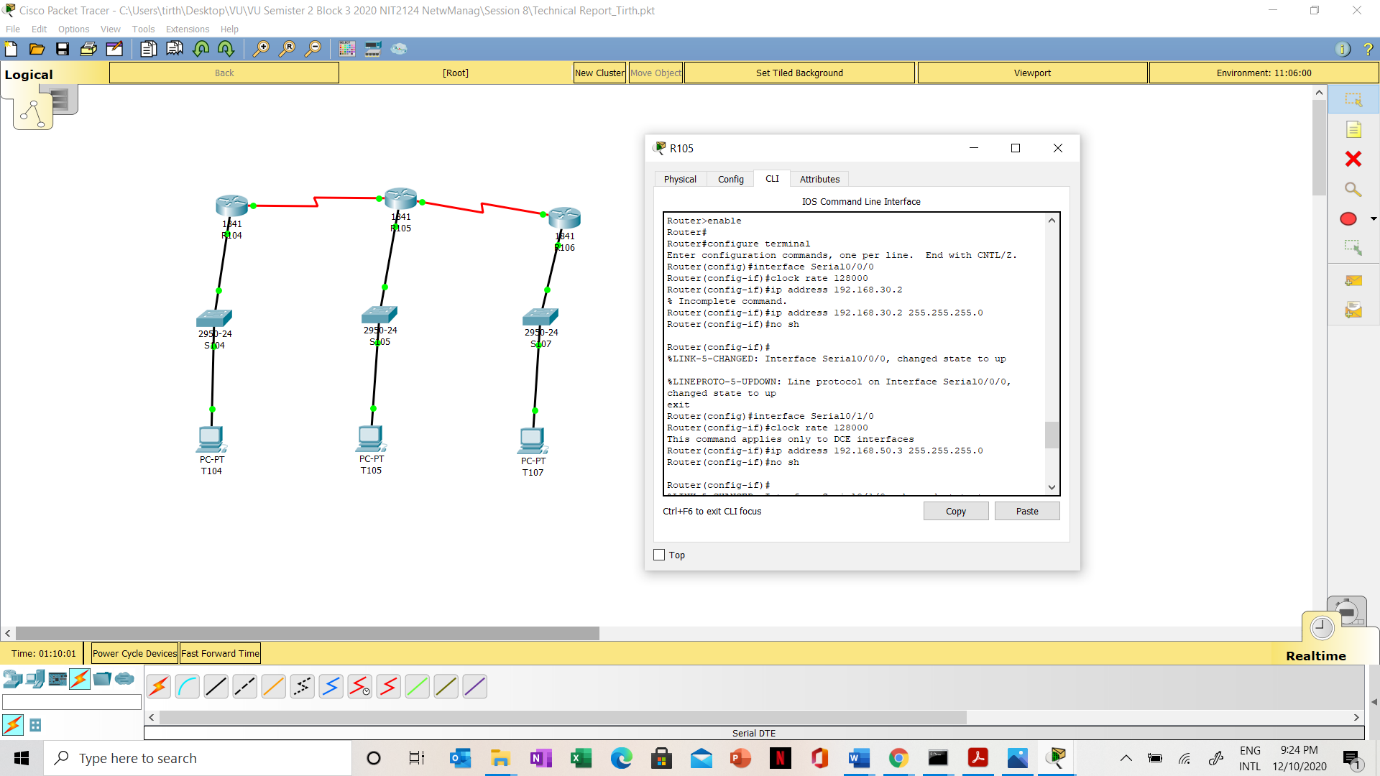
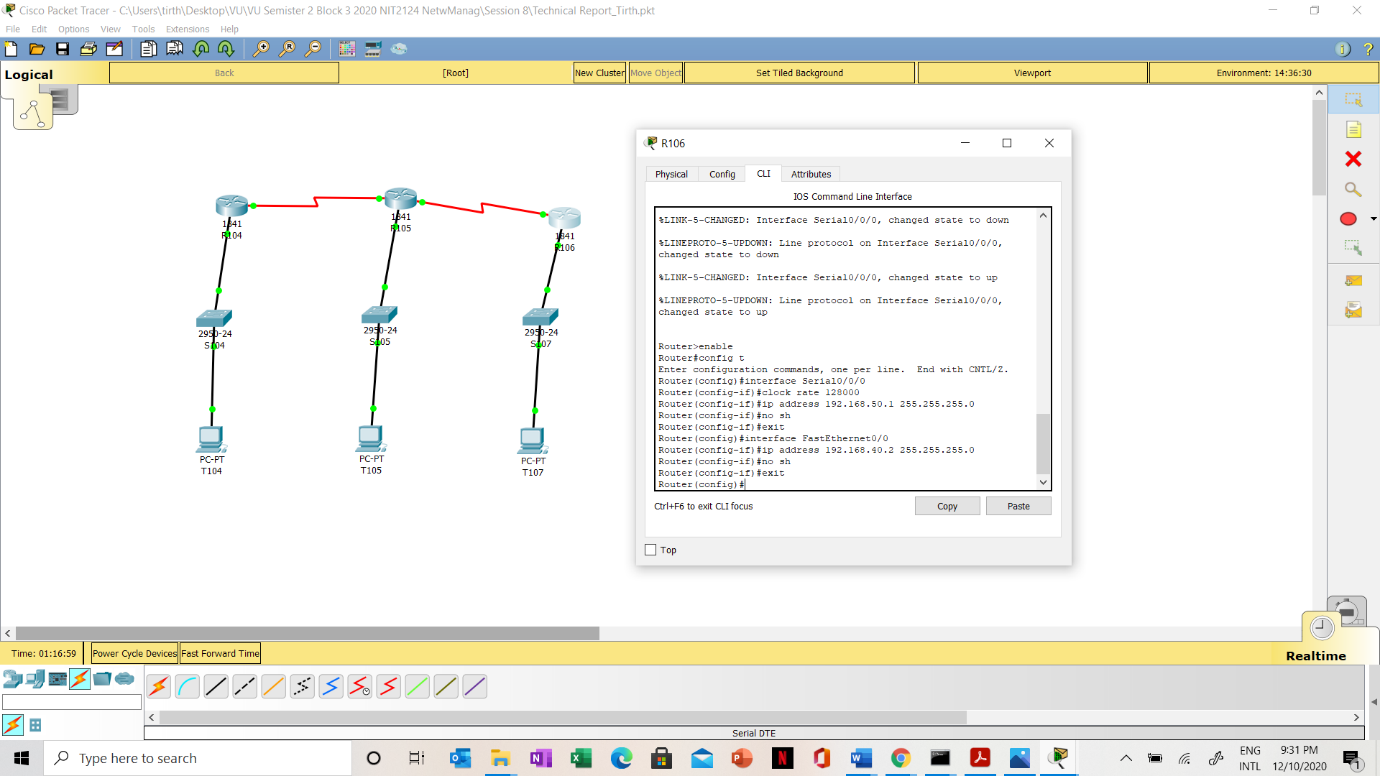
Switches, SNMP community string is ciscoSwitches, with write read only privileges.
In this with the basic switch configuration, I have established the connection of the SNMP community server and gave the name ciscoSwitches with write and read only privileges.
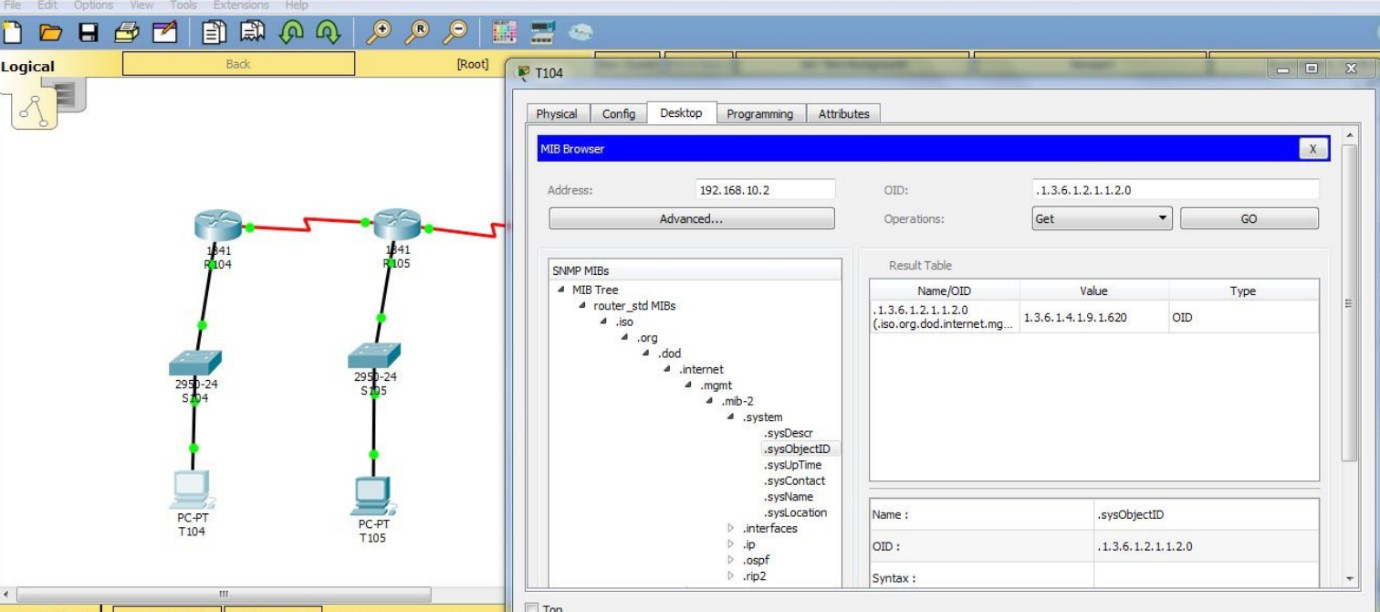
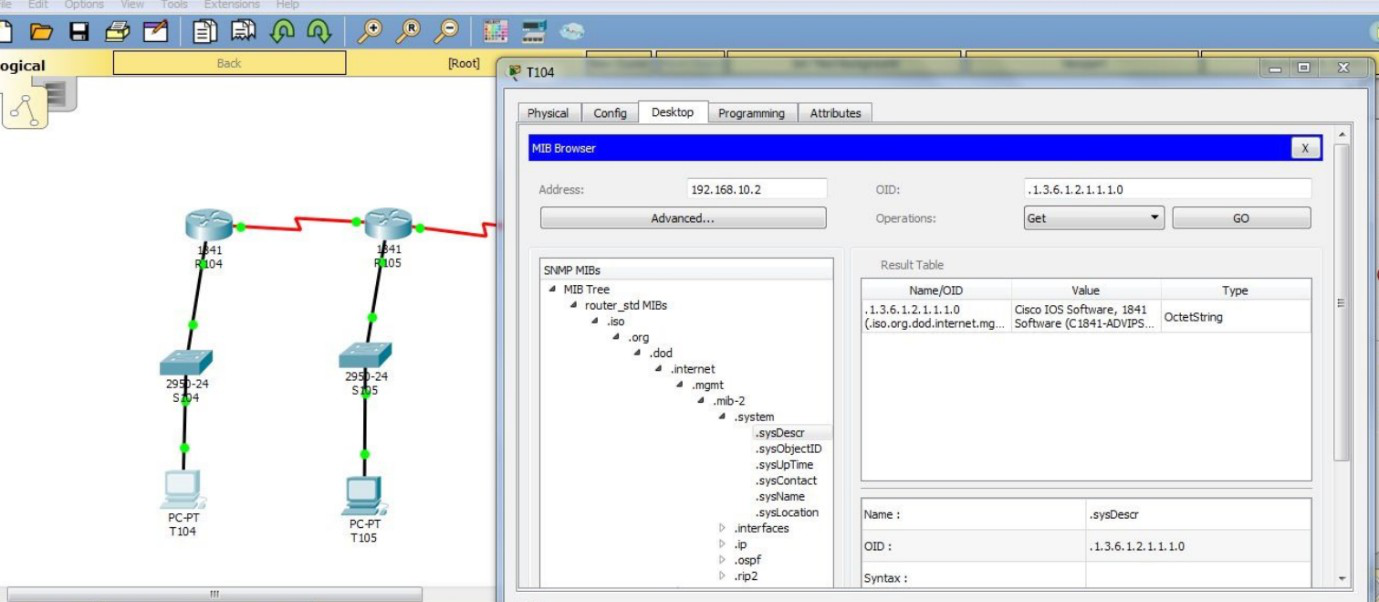
Change the switch interface mode from up to down.

Change the slot-1 mode to down and what information could you gather?
When changing slot-1 to down mode, it is physical layer problem and the connection cannot be established due to which network stops working due to change in the mode. Sensing of the layer is not possible in that case.





